
Acquiring a pre-owned industrial CNC router, sliding table saw, or edgebander can be a fantastic way to expand your shop’s capabilities without the capital expenditure of buying brand new. However, buying used machinery is an exercise in mitigating risk. High-mass cast-iron and steel frames can easily outlast their electronics, and superficial appearances can hide expensive mechanical wear.
Before you load a machine onto a flatbed, you need to look past the fresh coat of paint and inspect the bones, brains, and heart of the equipment. Here is our walkthrough on exactly what to inspect before signing the check.
1. The Heart: Assessing Spindle Condition
Spindle failures are a major source of unplanned downtime and carry high repair costs. Do not just turn the spindle on; you need to evaluate its acoustic, thermal, and geometric signatures:
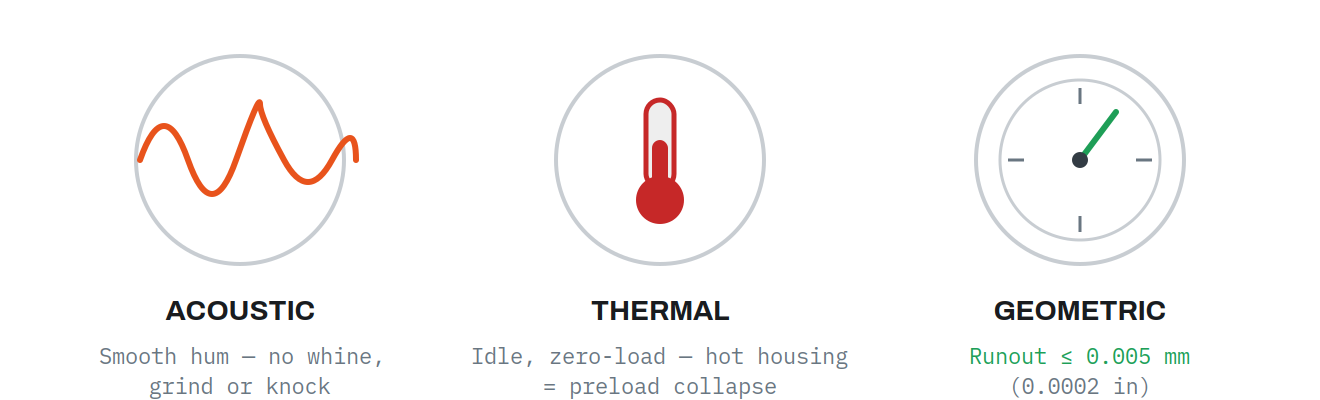 Three signatures to check.
Listen Closely: You should hear a smooth hum. High-pitched whining, grinding, or low-frequency knocking points to spalling or lubrication starvation in the angular contact bearings.
Feel for Heat: Run the spindle at a zero-load idle. If the housing feels excessively hot to the touch, it indicates bearing preload collapse or insufficient cooling.
Check the Runout: Use a dial test indicator inside the spindle taper. Dynamic runout should ideally be ≤0.005 mm (0.0002 in). Visible needle oscillation during hand rotation means a deformed shaft or severe bearing wear.
2. The Motion System: Mechanical Wear Points & Backlash
Every machine has its unique mechanical vulnerabilities. Here is what to look for based on the machine type:
CNC Routers
Your biggest enemy here is backlash—the mechanical play or “dead zone” that occurs when an axis reverses direction due to worn ball screws or gears.
How to test: Mount a dial indicator on a magnetic base, jog the axis in one direction, zero the dial, and then jog it backward using the smallest increment. Backlash under 0.01 mm is acceptable; anything over 0.02 mm will start causing dimensional inaccuracies.
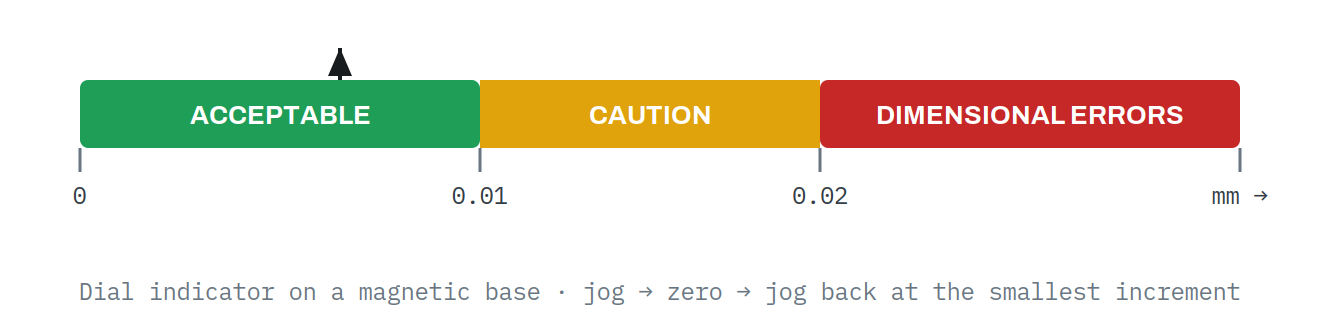
Under 0.01 mm acceptable; over 0.02 mm causes errors.
The Cut Test: Ask to cut a large 20″ x 30″ rectangle twice—once clockwise (climb cutting) and once counter-clockwise (conventional cutting). If the dimensions differ by ≥0.03 in, you are looking at severe Z-axis deflection or worn slide bearings.
Sliding Table Saws
Check the Ways: Slide the carriage slowly through its full stroke. If the saw was heavily used for short cross-cuts, the ways (whether phenolic or steel) might have uneven, localized wear. If you feel a “clunk” or see the table dip, walk away—it usually requires factory-level grinding to fix.
Verify the “Toe-Out”: The sliding carriage should not be perfectly parallel to the blade. Many shops set a slight rear clearance of roughly 0.05–0.10 mm. If it toes inward, the teeth will scorch the wood, creating a massive kickback hazard.
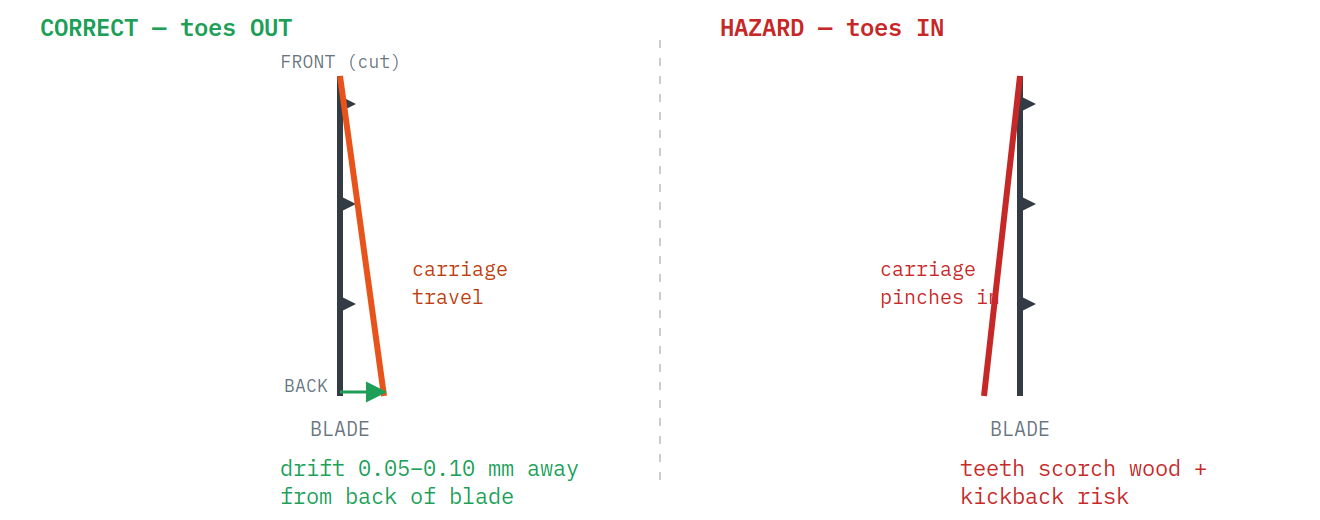
The carriage must drift away from the back of the blade.
Edgebanders
The Glue Pot: Look inside the aluminum pot. Negligent operators often use metal screwdrivers to scrape out cold glue, destroying the non-stick Teflon coating. Once compromised, the glue will burn and clog the channels.
Track Pads and Rollers: Inspect the rubber chain pads on the lower feed track. Worn or glue-contaminated pads allow panels to slip, ruining the trimming and scraping operations down the line.
3. The Brain: Control Obsolescence
The primary failure mode of older CNC machines (especially 90s and early 2000s models) isn’t the heavy iron—it’s the obsolete computer bus architecture. Older proprietary controls often run on ISA or PCI cards. Today, finding a replacement PC with native ISA slots is practically impossible. While cheap ISA-to-PCI adapters exist, they often fail in industrial settings due to signal latency and a lack of 64-bit Windows drivers.
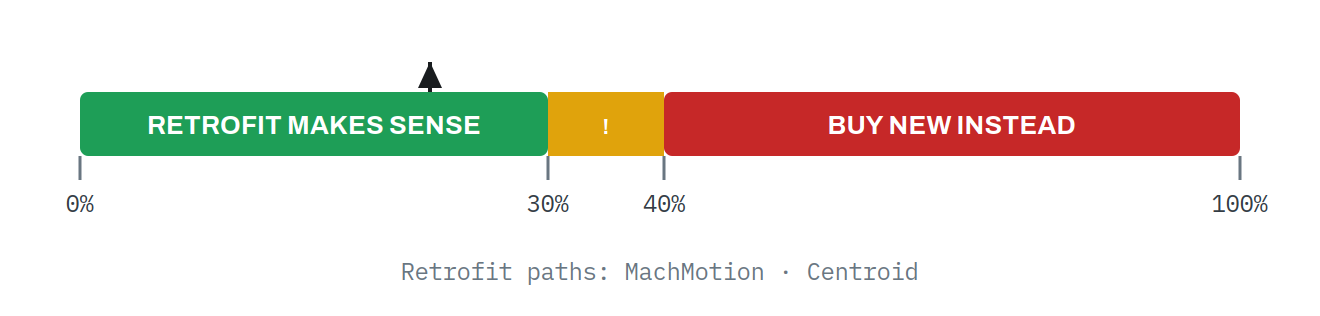
A retrofit only makes sense under 30–40% of buying new.
The takeaway: If the machine uses obsolete proprietary controls, assume it might need a complete control retrofit (like MachMotion or Centroid). As a rule of thumb, a retrofit only makes economic sense if the total cost is under 30% to 40% of buying a new machine.
4. The “Low Hours” Myth
Do not take the machine’s “run hours” at face value. Hour meters stored in the primary control PC are highly vulnerable to manipulation or simple data loss. Reinstalling the operating software or swapping a hard drive will frequently reset the hour registers to zero. Physical wear assessment of the mechanical components is the only reliable metric of the machine’s true age.
Furthermore, “idle” hours can be destructive. For example, if an edgebander sits idling at 190 °C without running panels, the EVA glue polymer chains break down. Standard EVA hotmelt degrades steadily the longer it's held molten before it carbonizes into a useless crust.
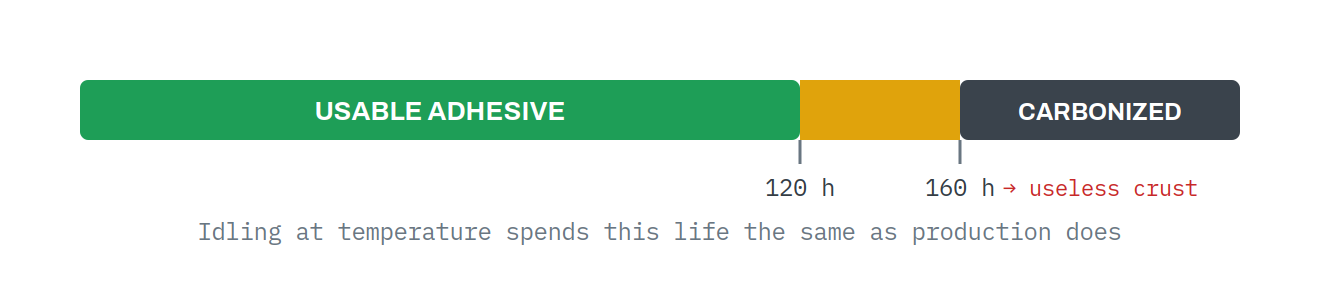
EVA hotmelt: 120–160 hours before it carbonizes.
Final Advice Before You Buy
Never purchase a machine without seeing it operate under full production loads. Insist on at least 30 minutes of continuous test cutting using all spindles, tool changers, or edgebanding stations, and use digital calipers to measure the results.
At South Texas Machinery, we know that buying used equipment can be daunting. If you are looking for reliable, thoroughly vetted machinery or need expert advice on whether a used machine is a diamond in the rough or a money pit, reach out to our team today.